

First-Time Access
This content is not available in your language yet.
Before you sign in
Section titled “Before you sign in”To use Glider you must be a member of the AIEI Azure organization. On your first visit, join the organization with your university email — after that you can sign in directly with your Azure AD account.
Eligible email domains
Section titled “Eligible email domains”Only email domains of universities under AIEI can join the organization:
| Domain | University |
|---|---|
chula.ac.th |
Chulalongkorn University |
cmkl.ac.th |
CMKL University |
cmu.ac.th |
Chiang Mai University |
kku.ac.th |
Khon Kaen University |
kmitl.ac.th |
King Mongkut’s Institute of Technology Ladkrabang |
kmutt.ac.th |
King Mongkut’s University of Technology Thonburi |
mahidol.ac.th |
Mahidol University |
psu.ac.th |
Prince of Songkla University |
vistec.ac.th |
Vidyasirimedhi Institute of Science and Technology (VISTEC) |
Two ways in
Section titled “Two ways in”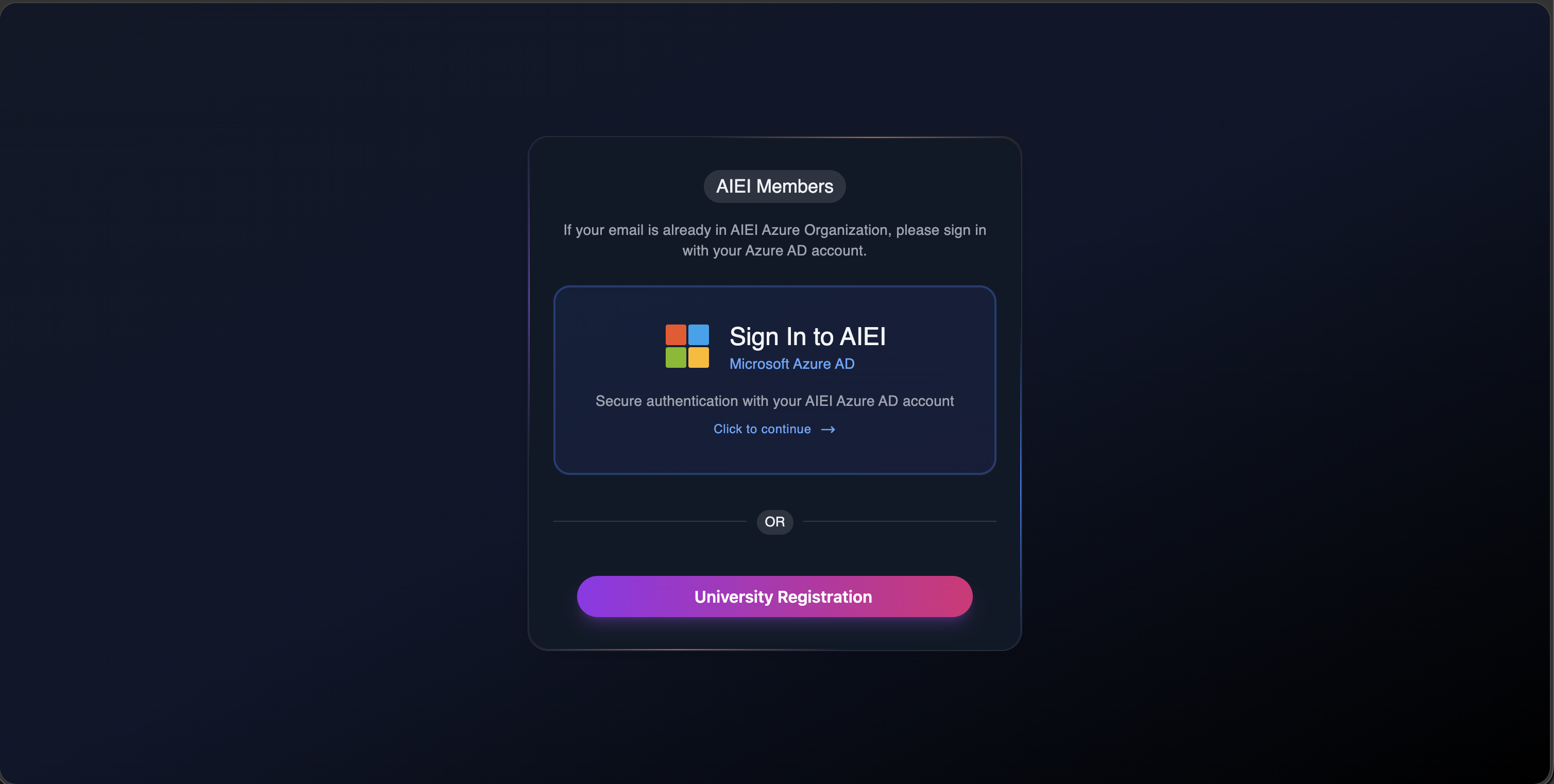
Already in AIEI org — sign in immediately with your Azure AD account.
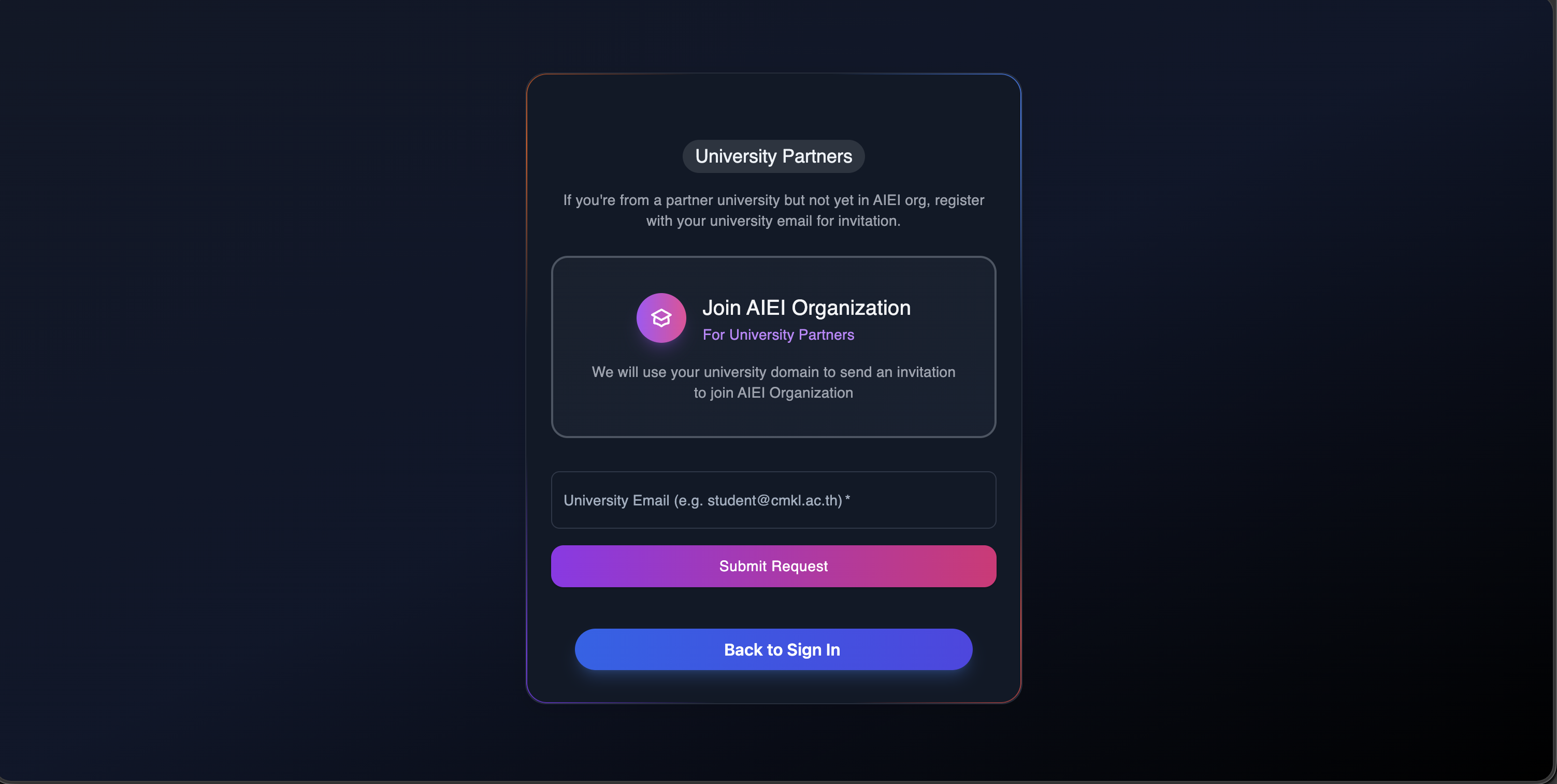
Not in AIEI org yet — click University Registration to join.
Registration flow
Section titled “Registration flow”-
Enter the university email you want to register, then click
Submit Request.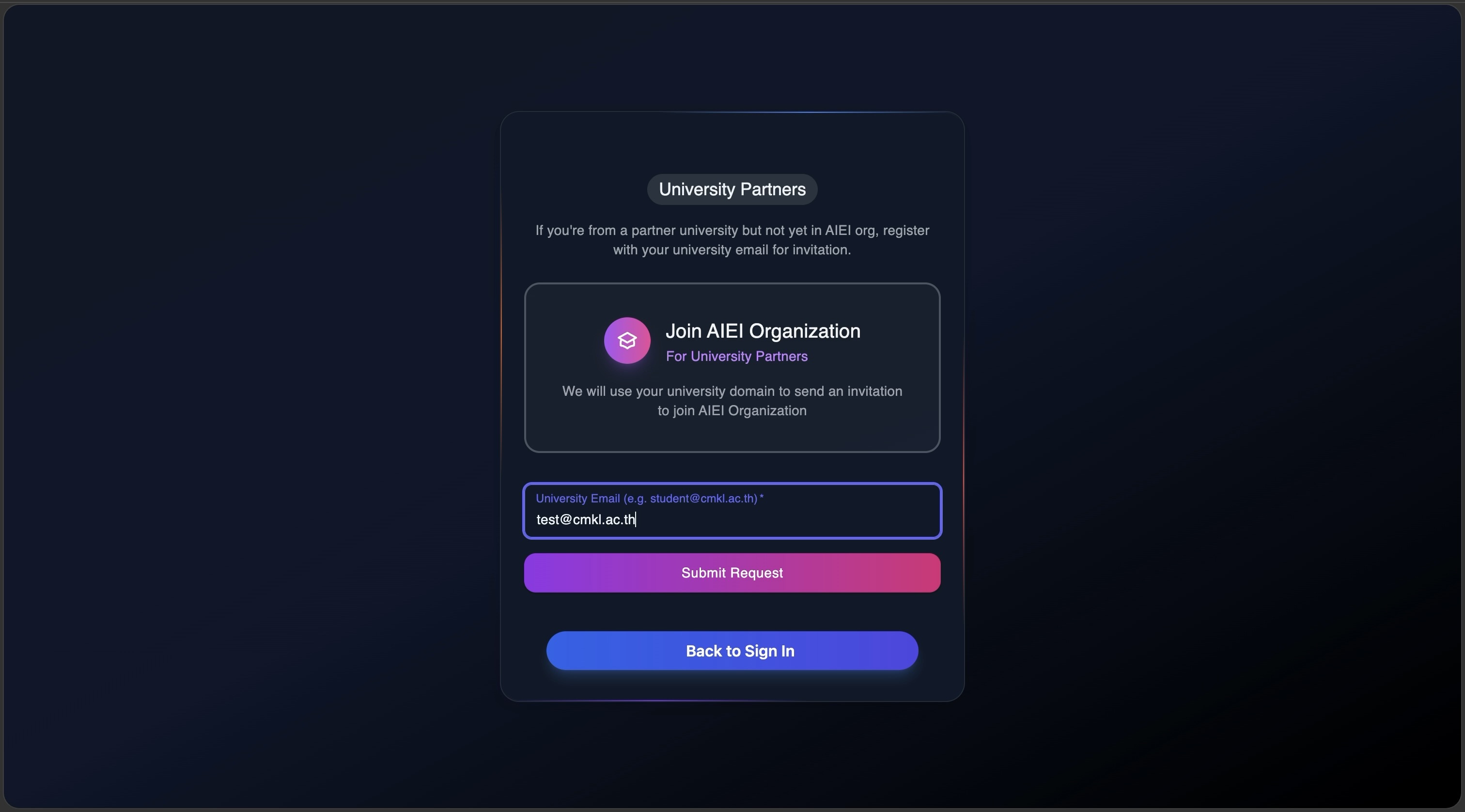
-
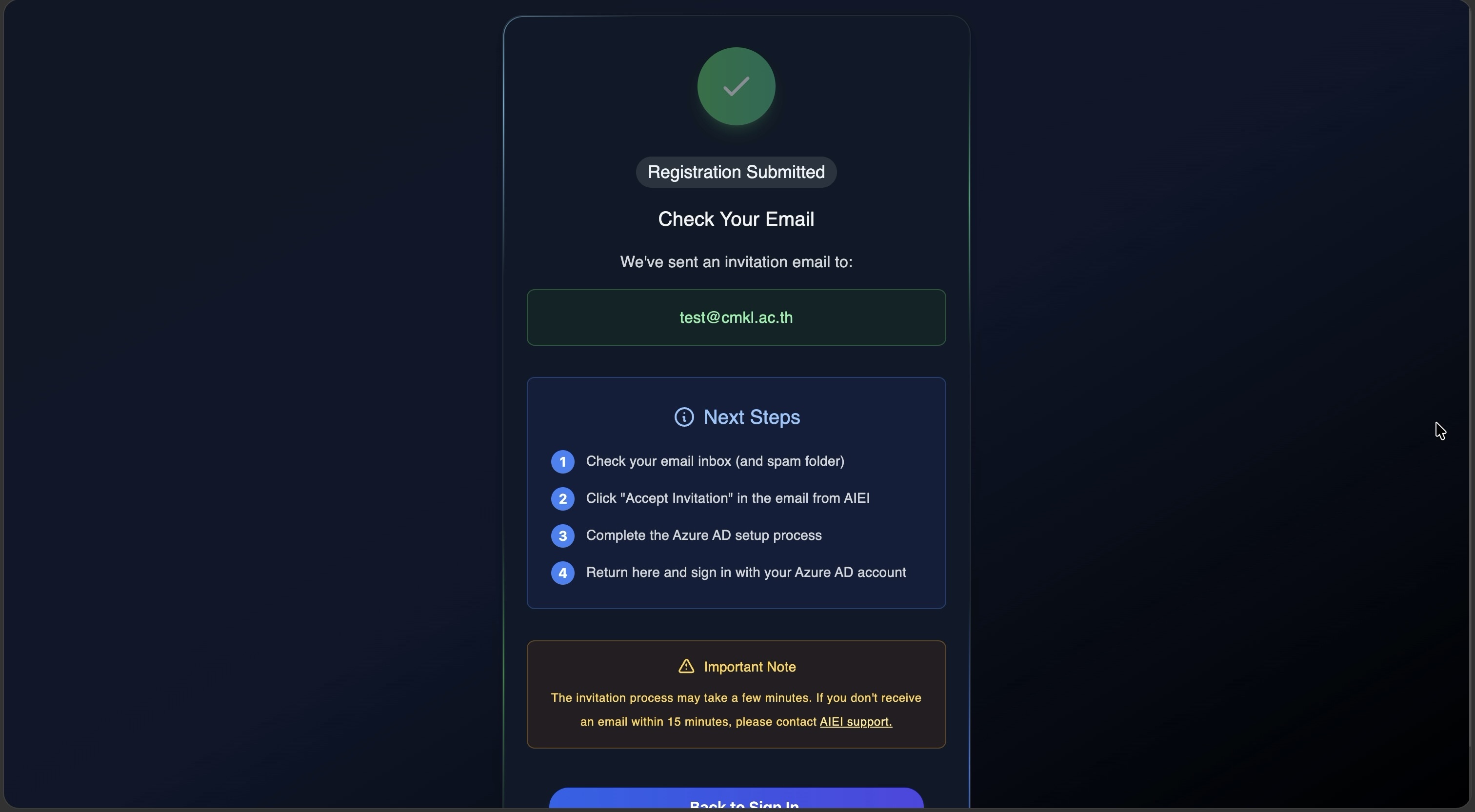
Wait for the confirmation result.
-
Once the request is approved, open the invitation email from AIEI and click Accept Invitation, complete the Azure AD setup, then return to Glider and sign in.
Glider portalSign in or start the university registration here